
Last updated on August 27th, 2026 at 11:32 am
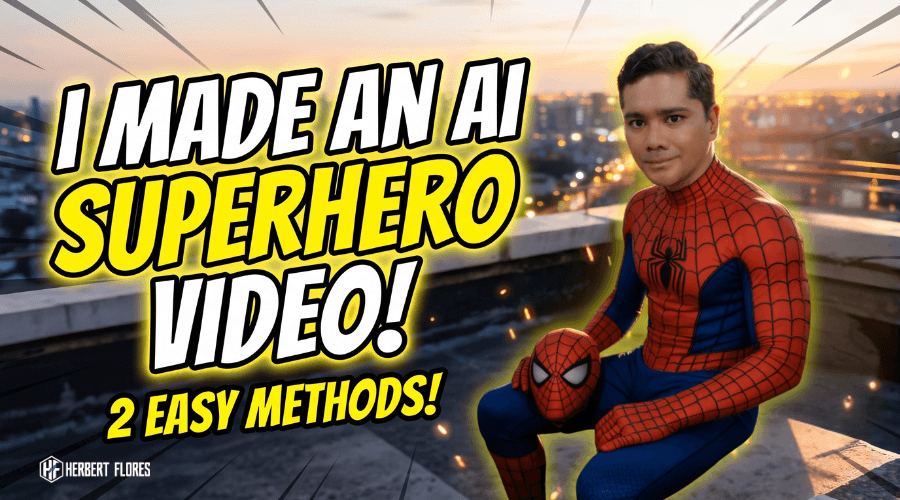
Ever since I watched the latest trailer for Spider-Man: Brand New Day, I wanted to recreate that cinematic superhero feeling using AI.
Since Spider-Man has always been one of my favorite superheroes, I started experimenting with different AI tools to see if I could create a short superhero-style video using my own face.
After several tests, I discovered two methods that actually work — and both are surprisingly beginner-friendly, even if you’ve never touched AI video tools before.
In this guide, I’ll show you exactly how I created my own Spider-Man-inspired AI video using free AI tools. Whether you want to join the trend or simply learn how AI image-to-video generation works, this tutorial will walk you through the entire process, step by step.
Disclaimer: This tutorial is an independent, fan-inspired guide and is not affiliated with or endorsed by Marvel or Sony Pictures. Spider-Man is a trademark of its respective owners.
Method 1 – Using PixVerse AI Templates
PixVerse AI is currently one of the easiest ways to create a cinematic superhero transformation video. No design skills needed — just a selfie and a few clicks.
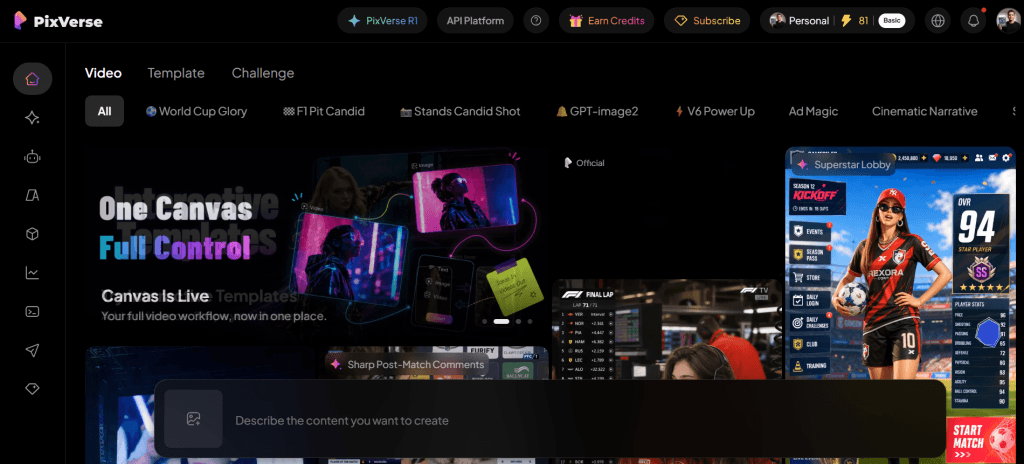
Step 1: Sign Up Sign up for PixVerse AI. New users currently receive 60 free credits, although promotions may change over time.
Step 2: Find a Template After logging in, open the Trending section and look for one of these templates:
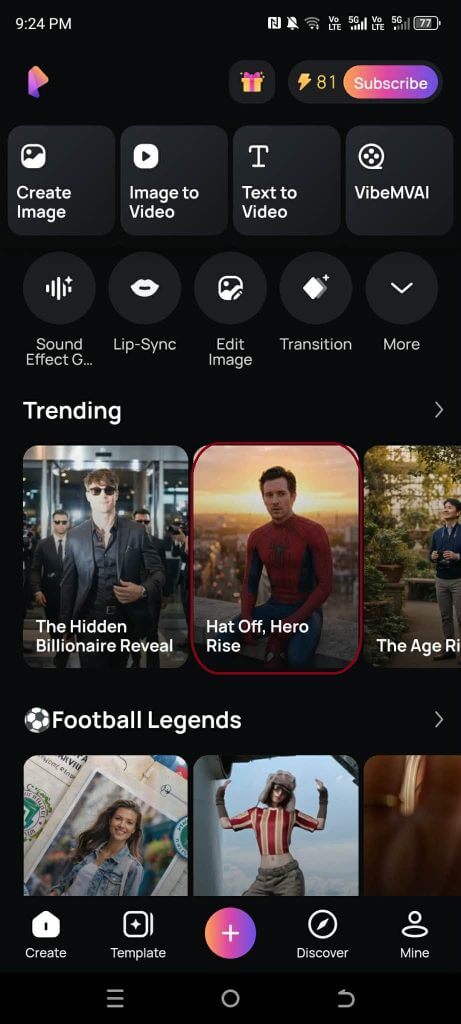
- Hat Off, Hero Rise
Templates change often, so it’s worth browsing the Trending tab regularly for the latest superhero-style options.
Step 3: Generate Your Video
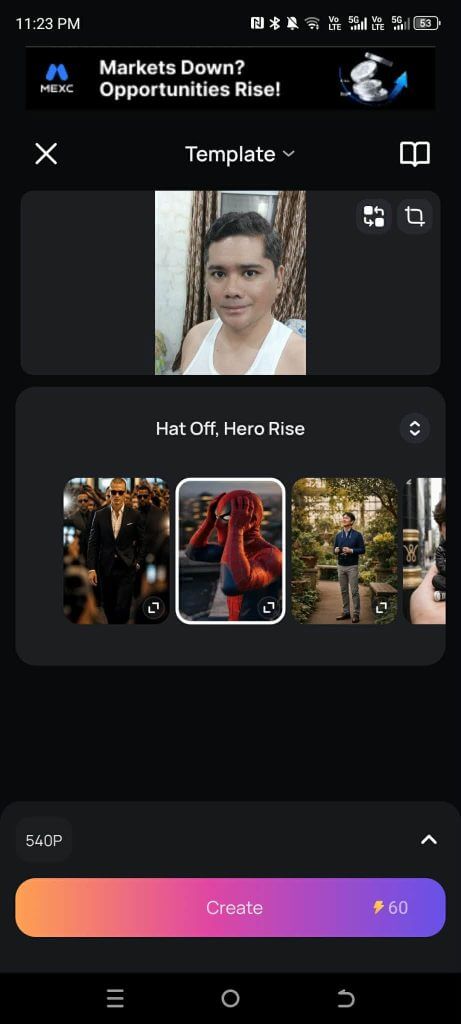
- Click Use Template
- Upload your selfie
- Click Create
The generation uses approximately 60 credits, so your free credits may cover your first video.
Step 4: Wait for Processing Generation usually takes a few minutes. Once it’s done, open the Mine tab to view your finished video.
Step 5: Remove the Watermark Before downloading:
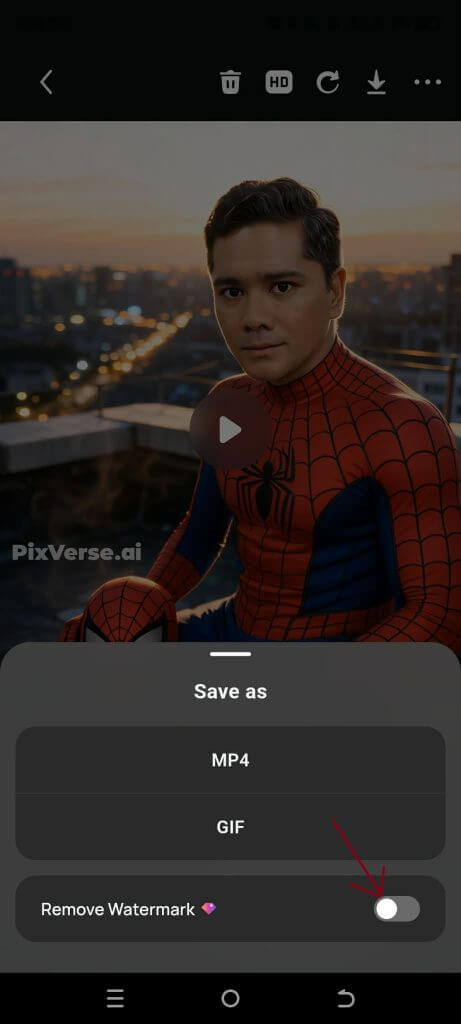
- Choose Remove Watermark
- Watch the short ad (PixVerse typically unlocks this after one ad view)
- Click Remove Watermark
- Download your finished video
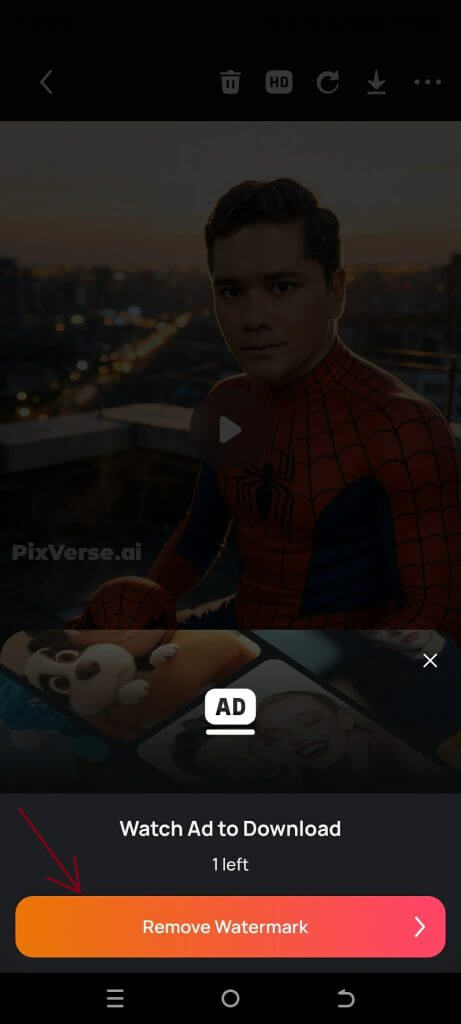
You’re now ready to upload it to TikTok, Facebook Reels, or Instagram — or bring it into CapCut for extra editing.
Method 2 – Create Your Own AI Version
If you want more creative control than a template allows, this method lets you build a fully custom superhero scene from scratch.
Step 1: Generate Your Superhero Image
- Open Gemini
- Use the Nano Banana image generation feature
- Upload your selfie
- Use a prompt describing a red-and-blue web-pattern superhero costume inspired by comic-book aesthetics, rather than asking for an exact copyrighted character. This approach tends to work more reliably with current AI image and video tools.
- Generate a vertical 9:16 image with cinematic sunset lighting for that dramatic, movie-poster feel
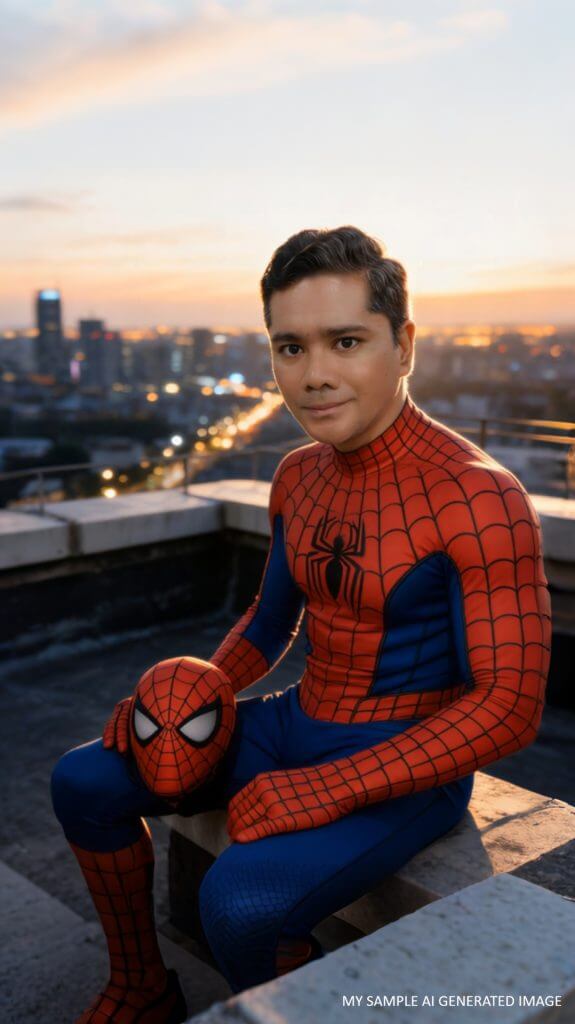
Example Prompt I Used:
“Use the attached photo as reference. Person in red and blue superhero costume with web-like pattern, sitting on a rooftop at sunset, holding the mask in one hand while looking toward the camera. Costume has emblem on chest, cinematic contrast, cityscape background with glowing lights and warm sunset sky. Strictly face consistent with the reference photo. Aspect ratio: 9:16″
This prompt works well because it focuses on describing the visual elements — the color scheme, web pattern, pose, and lighting — instead of naming a specific character. Feel free to tweak the pose, background, or lighting details to make your version unique.
Step 2: Animate Your Image Once your image is ready, bring it into an AI video generator such as:
- Veo 3
- Kling AI
- Hailuo AI
- PixVerse AI
- VideoExpress
Each platform has its own copyright policies. Some may reject prompts that explicitly request copyrighted characters by name, so describing an original superhero inspired by classic comic-book aesthetics generally produces better, more consistent results than naming a specific franchise character directly.
Which Method Is Better?
PixVerse Template
- ✅ Fast
- ✅ Beginner-friendly
- ✅ Ready in minutes
- ❌ Less customization
AI Image + AI Video (Custom Method)
- ✅ More creative freedom
- ✅ Better cinematic quality
- ✅ Build your own unique scenes
- ❌ Requires more experimentation and trial-and-error
My Experience
I tried both methods myself, and each has its place depending on what you’re going for.
The PixVerse template was by far the easiest, since everything was already prepared — upload a selfie, click a button, and you’re done.
Creating my own version using AI image generation gave me much more creative control, but I also discovered that some AI video generators — including Veo 3 — can reject prompts that directly reference copyrighted superhero characters. I got noticeably better results when describing an original superhero with similar visual elements instead of requesting a specific franchise character by name.
Frequently Asked Questions
Is it free to create these AI superhero videos? Yes, both methods can be done using free credits, though PixVerse’s free allowance may only cover one or two generations before you need to top up.
Do I need editing experience? No. Both methods are designed for beginners — no video editing skills required, though tools like CapCut can help you polish the final result.
Will AI tools let me use “Spider-Man” directly in a prompt? Some platforms may block or restrict prompts naming specific copyrighted characters. Describing original superhero visuals (e.g., “red-and-blue web-pattern costume”) tends to get better, more consistent results.
Which method gives better quality? The custom AI Image + AI Video method generally produces more cinematic, unique results, but takes more time and experimentation compared to the ready-made PixVerse templates.
Final Thoughts
If your goal is to create a fun superhero-inspired AI video quickly, PixVerse is probably the fastest way to get started.
If you enjoy experimenting and want complete creative control over the final look, combining AI image generation with an AI video generator can produce more unique, cinematic results — as long as you avoid relying on copyrighted character names or logos in your prompts.
Try both methods and see which one fits your style. Once you’ve created your video, share it on TikTok, Facebook Reels, or Instagram and tag your post so others can find your version of the trend.
Want to Take It Even Further?
If turning a selfie into a superhero video got you hooked on AI content creation, you’ll love this next trick: bringing your photos fully to life — talking, singing, and even dancing.
TalkingPhotos.AI lets you turn any image into an animated talking, singing, or dancing video in just a few clicks. It’s perfect for leveling up your content game beyond static AI images — great for reels, intros, or just for fun.
👉 Click here to try TalkingPhotos.AI
2026 Superhero-Style AI Video Quality Checklist
- Use your own portrait or an image you have permission to animate.
- Describe an original masked hero instead of copying protected logos, costumes, or character names.
- Create the starting image first so the face, clothing, pose, and environment are locked before animation.
- Keep the image-to-video prompt focused on one short action and one camera move.
- Review hands, face consistency, background warping, and costume changes frame by frame.
- Add licensed music, captions, and sound effects during editing—not inside the generation prompt.
For a broader image-to-video method, follow my cinematic AI photo tutorial. You can also use my AI social video workflow to package the finished clip for Shorts, Reels, and TikTok.


1 thought on “How I Created a Viral Spider-Man-Style AI Video Using Free AI Tools (Step-by-Step Guide)”