
Artificial intelligence is entering another interesting phase.
For the past few years, most of us have experienced AI through a simple routine: open a chatbot, type a question, receive an answer.
Need an email? AI writes it.
Need ideas? AI brainstorms them.
Need research? AI helps summarize it.
But what happens when AI stops simply telling you what to do and starts doing some of the work for you?
That is where AI agents come in.
Several new products are pushing this idea much further in 2026. Instead of existing only inside a chat window, these agents can—in varying degrees—use computers, browse websites, connect to applications, communicate with other people, perform multi-step tasks and continue working after you leave.
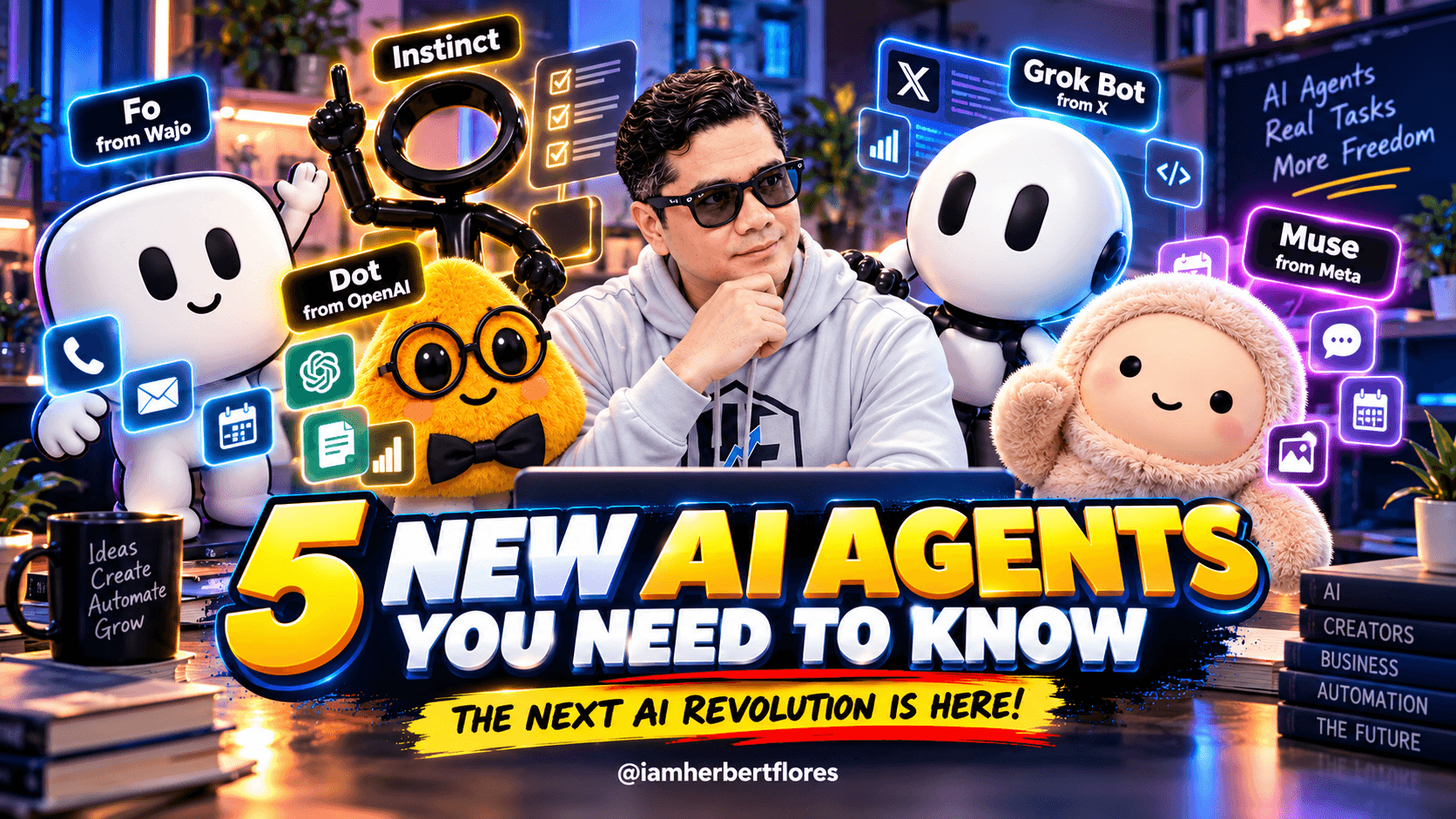
Five names worth watching right now are Meta Muse, OpenAI Dots, Grok Bot, Instinct, and Wajo’s Fo.
And while they may look cute in my photo, the technology behind them represents something much bigger.
We may be moving from AI that answers to AI that acts.
What Is an AI Agent?
Quick answer: An AI agent is an AI system designed to pursue a goal and perform tasks on a user’s behalf, often by using tools, websites, connected applications or its own virtual computer.
That’s an important distinction.
A traditional chatbot might tell you:
“Here are five hotels you could consider.”
An AI agent could potentially be asked:
“Find me a hotel near the venue for Friday night, compare the best options under my budget and prepare the best one for booking.”
Instead of stopping after providing information, an agent can potentially work through several steps toward the actual outcome.
Exactly what an agent can do depends on the product, the permissions you give it and the services it can access.
AI Chatbot vs. AI Agent
| Traditional AI Chatbot | AI Agent |
|---|---|
| Answers questions | Can work toward a goal |
| Generates content | Can perform multi-step tasks |
| Usually waits for another prompt | Some can continue working in the background |
| Gives instructions | May take authorized actions |
| Primarily exists in conversation | May operate websites, apps or a virtual computer |
| Limited persistent context | Some agents learn preferences and retain relevant context |
The boundary isn’t perfectly clean. Modern AI assistants already have tools and automation features.
What makes the newest agent products interesting is the degree of autonomy, persistence and ability to act.
1. Meta Muse: A Personal AI Agent That Can Actually Do Things
Meta introduced Muse on September 8, 2026, describing it as a personal AI agent designed to take tasks off your plate rather than simply answer questions. About Facebook
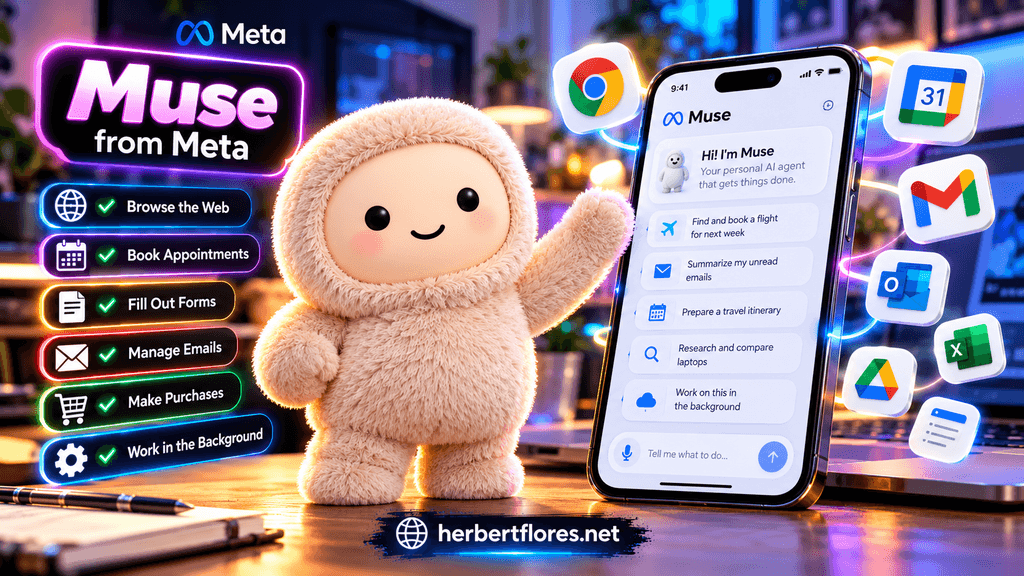
Muse runs on what Meta calls a Muse Secure VM—essentially a dedicated cloud computer with its own browser.
That gives Muse the ability to navigate the web and perform actions such as filling out forms, handling customer-service interactions and booking appointments. Meta also says Muse can connect with services such as email and calendars and continue working after you close the app. AI Meta
What can Meta Muse do?
According to Meta, Muse can:
- Browse the web and complete multi-step tasks
- Book appointments and travel
- Fill out online forms
- Work with connected apps
- Create documents and images
- Make purchases with authorization
- Monitor things in the background
- Track goals and suggest next steps
One feature I find particularly interesting is that Muse can return to you when it needs approval rather than requiring you to supervise every step. Meta says sensitive actions such as sending emails or making purchases can require user approval. About Facebook
That begins to feel less like using a chatbot and more like delegating work.
What makes Muse interesting?
Meta already has access to a huge ecosystem of communication and social products. Muse can also be used through WhatsApp, which could make the concept of AI agents much easier for ordinary users to understand.
Instead of learning complicated automation software, the experience is closer to messaging someone:
“Can you take care of this?”
Muse initially rolled out in the United States on iOS, Android and the web, with Meta saying support for AI glasses is coming. About Facebook
2. OpenAI Dots: Always-On AI Agents With Their Own Computers
OpenAI Dots official announcement
OpenAI entered this new agent race on September 29, 2026 with Dots.
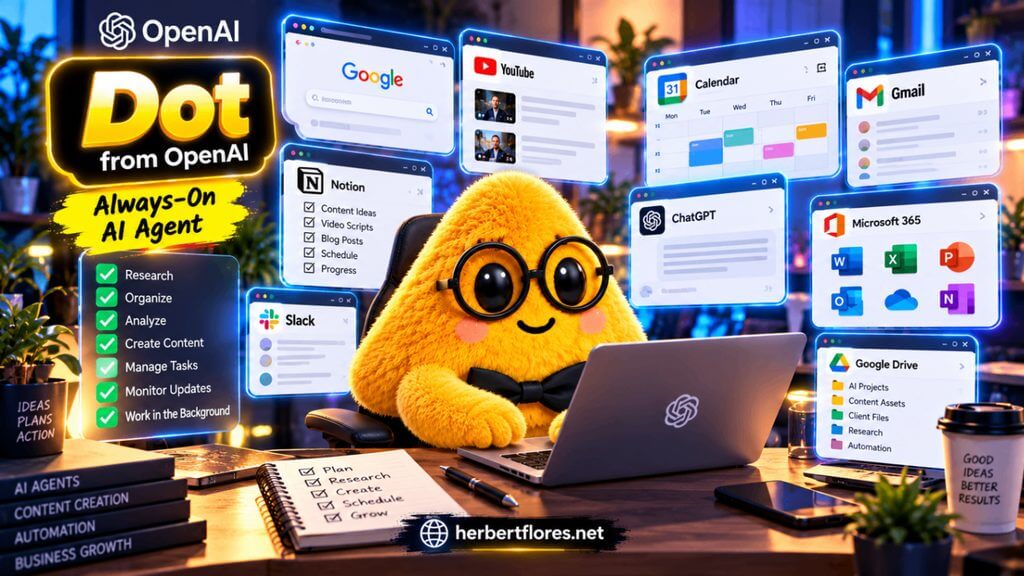
And this one is particularly interesting because OpenAI describes Dots as “always-on agents.” OpenAI
A Dot has its own cloud computer and can work toward goals continuously rather than existing only during a single chat session.
OpenAI says Dots are powered by GPT-6 Astra and can connect to more than 4,000 apps through plugins. They can also be reached through ChatGPT, Slack and Microsoft Teams. OpenAI
What can OpenAI Dots do?
The idea is that you can give your Dot ongoing responsibilities rather than repeatedly giving an AI isolated prompts.
Think about requests like:
“Keep track of this project and tell me when something needs my attention.”
Or:
“Help organize this research and continue updating it as new information arrives.”
Or even:
“Handle the repetitive parts of this workflow and come back to me when you need a decision.”
That represents a major change in how we think about using AI.
Instead of opening an AI tool whenever you need something, the agent potentially becomes a persistent collaborator.
Why Dots could matter for businesses
This model becomes especially interesting for teams.
An AI agent connected to approved business tools could potentially assist with research, project coordination, monitoring, documentation and repetitive operational work.
OpenAI says Dots learn from feedback over time, meaning the goal isn’t simply to create another general chatbot. It’s to create an agent that gradually understands how you prefer work to be done. OpenAI
That could make persistent context one of the most important battlegrounds in the next generation of AI.
3. Grok Bot: AI Teammates With Their Own Computers
Grok Bot official announcement
Grok Bot approaches the agent idea more like hiring an AI teammate.
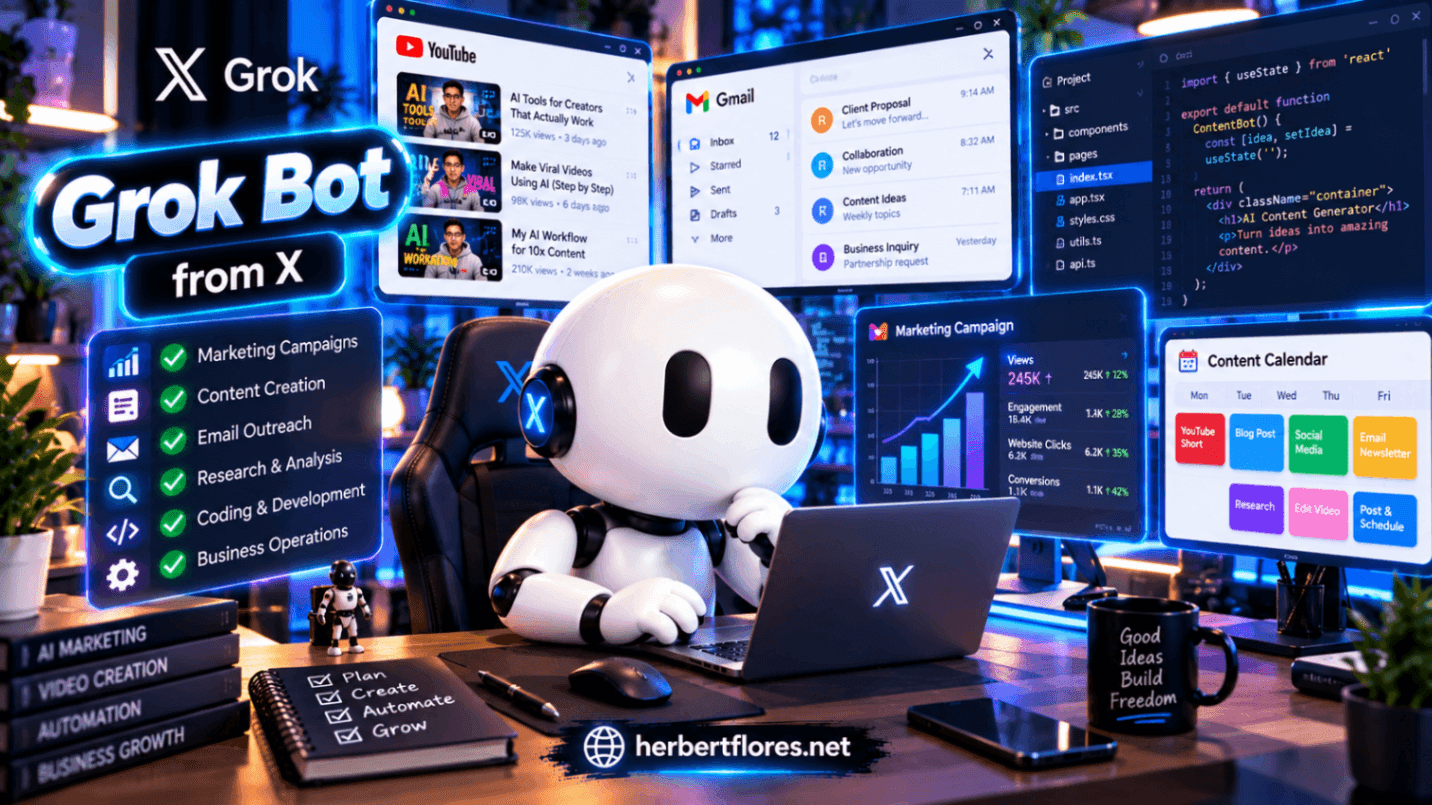
According to its official announcement, Grok Bots have their own computers, can work inside apps and tools, and can continue working 24/7. SpaceXAI
Each Bot has access to a persistent cloud computer equipped with a browser, filesystem and terminal.
Instead of producing a draft and leaving the rest to you, the goal is to allow the Bot to complete work inside the tools where that work actually happens. X.ai Docs
What could you give a Grok Bot?
The company says its own teams used Bots for work including:
- Sales outreach
- Marketing campaigns
- Office operations
- Bug fixes
- Multi-step workflows across apps
You communicate with the Bot much like you would communicate with a colleague.
Give it a job, context and access to the necessary tools, and it works through the task. When an important decision or approval is required, it can come back to you. SpaceXAI
Why this is different from normal AI chat
Imagine running a small online business.
Instead of asking an AI:
“Write me a marketing campaign.”
you could eventually delegate something closer to:
“Prepare this week’s campaign using our existing assets, organize the drafts and show me everything that needs approval.”
That’s a completely different relationship with software.
You’re no longer just prompting.
You’re delegating.
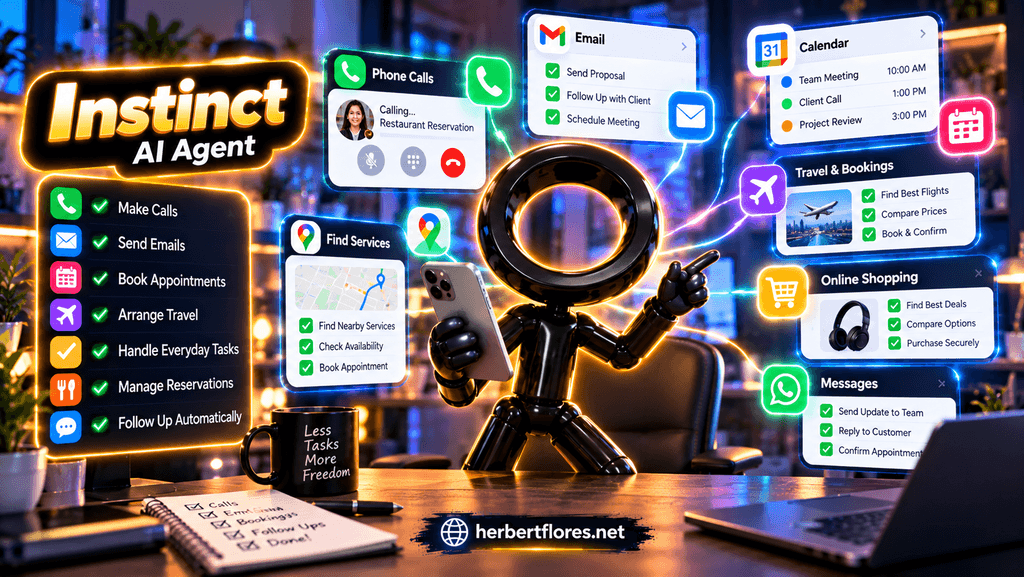
4. Instinct: An AI Assistant That Uses Phones and Computers Like We Do
Instinct takes another fascinating approach.
Its interface is intentionally minimal.
According to the company, Instinct connects to applications and devices such as email, messaging, screen, audio and location, and is trained to operate phones and computers in ways similar to humans. Instinct
You can communicate with it by text or call.
What can Instinct do?
The company gives examples including:
- Following up on forgotten conversations
- Arranging transportation
- Booking services
- Handling everyday errands
- Making calls
- Managing reservations and travel
Instinct recently attracted significant attention—and funding. Reuters reported on September 28 that the company raised $1 billion at a $10 billion valuation, reflecting just how much investor interest is moving toward agentic AI. Reuters
But Instinct also illustrates an important lesson about this entire category.
More autonomy creates more responsibility.
Real-world testing has produced impressive results alongside mistakes. Business Insider testers reported successful travel arrangements and refunds, but also issues such as inaccurate information and an unintended deletion of data in Notion. Business Insider
That’s something everyone should remember before handing an AI agent access to important accounts.
5. Wajo and Fo: An AI “Action Agent” Built to Get Things Done
The fifth player requires a small clarification.
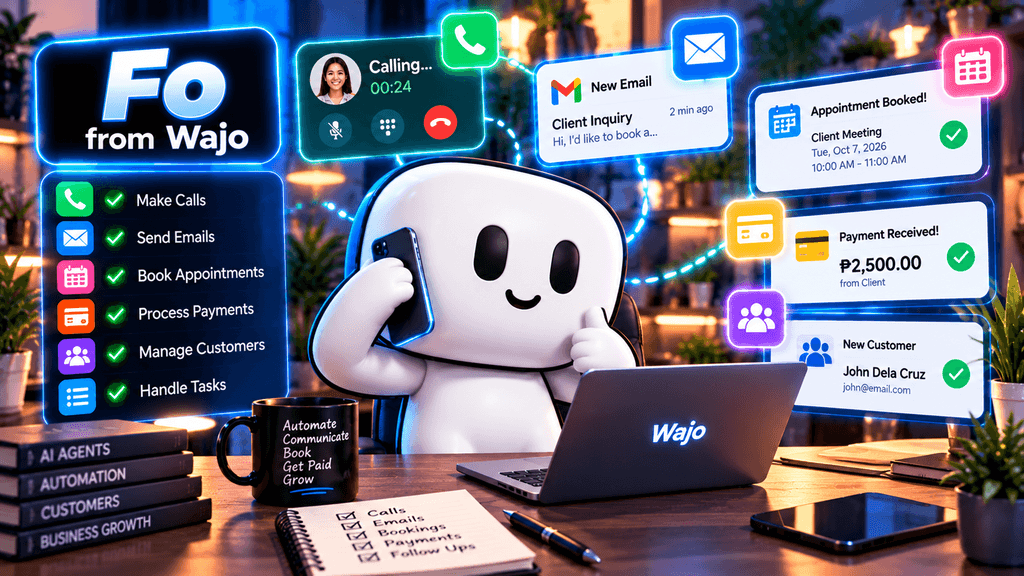
Wajo is the platform/company. Fo is its consumer-facing AI action agent. Wajo
And Fo’s focus is right there in the description: getting real-world tasks completed.
Wajo says Fo can communicate with people through calls and emails, coordinate tasks, make authorized purchases and even involve trained human assistants when a task needs human intervention. Wajo
What can Fo do?
Wajo provides examples such as:
- Booking appointments
- Rescheduling meetings
- Finding available local services
- Handling flight changes
- Sending gifts
- Coordinating with businesses
- Making calls
- Completing purchases
What caught my attention is the AI-human collaboration component.
If the agent reaches something it cannot reliably handle, Wajo says it can bring in a human to help finish the job. Wajo
That’s an interesting model because the future may not necessarily be:
Human OR AI.
It could be:
Human + AI + specialized human backup.
Wajo also wants people to build agents
Wajo isn’t only presenting Fo as one assistant.
The company says its broader platform allows people to create agents equipped with things such as their own inbox, phone number, voice and payment capabilities. Wajo
That could become important.
Today’s question is:
“Which AI agent should I use?”
Tomorrow’s question might be:
“What AI agents should I build for my business?”
Meta Muse vs OpenAI Dots vs Grok Bot vs Instinct vs Wajo Fo
Here’s the easiest way to understand their positioning based on what the companies currently describe:
| AI Agent | Main Idea | Notable Capability |
|---|---|---|
| Meta Muse | Personal AI agent | Web tasks, connected apps and background work |
| OpenAI Dots | Always-on agents | Persistent cloud computer + thousands of plugin connections |
| Grok Bot | AI teammates | Works inside apps using its own persistent computer |
| Instinct | Personal AI assistant | Uses digital devices and communicates through text/voice |
| Wajo / Fo | Action agent | Calls, emails, coordinates and can involve human assistance |
This isn’t a ranking. These products are evolving quickly and aren’t identical in their target users, availability or access models.
The bigger story is that multiple AI companies are converging on the same idea: AI should be able to take action, not merely generate an answer.
Why AI Agents Could Be a Big Deal for Content Creators
This is the part I’m personally watching closely.
As a creator, one of the biggest problems isn’t always generating ideas.
It’s everything surrounding the idea.
Research.
Organizing information.
Preparing assets.
Following up.
Publishing.
Monitoring.
Responding.
Doing it all again tomorrow.
Imagine eventually telling an agent:
“Research three trending AI topics relevant to my audience, organize the sources, prepare a content brief and let me know when it’s ready for review.”
Or:
“Monitor this product launch and alert me when something important changes.”
Or:
“Organize all the feedback from my latest campaign and summarize the recurring problems.”
AI doesn’t have to replace the creator.
The more interesting use case may be letting AI handle some of the operational friction around creation, while the human stays responsible for ideas, judgment, storytelling and final approval.
What Could AI Agents Mean for Small Businesses?
Small businesses may have even more to gain.
A business owner often has to be the marketer, customer-support representative, researcher, salesperson and administrator at the same time.
Agentic AI could potentially assist with portions of that workload.
Meta has already begun promoting Muse for small-business use, showing how quickly consumer agents may expand into business operations. Axios
Potential applications include customer follow-ups, research, scheduling, internal documentation, campaign preparation, lead organization and repetitive administrative work.
But there is a crucial word here:
assist.
Businesses still need oversight, especially when an agent can communicate externally, modify data or spend money.
The Big Catch: Can You Trust an AI Agent?
This may be the most important question in the entire article.
The more useful an agent becomes, the more access it may need.
Your email.
Calendar.
Files.
Browser.
Business applications.
Possibly payment methods.
And eventually, perhaps much more.
That creates an obvious tradeoff:
More access can make an agent more useful—but mistakes can also have greater consequences.
Meta, for example, built approval controls and a separate security layer into Muse. Yet Reuters reported in September that Meta strengthened Muse’s safety warnings after a researcher discovered a security vulnerability that could potentially expose sensitive information stored in virtual machines. Reuters
Instinct has also faced questions about privacy and agent permissions during its early rollout. TechCrunch
This doesn’t mean AI agents should be avoided.
It means we should treat them differently from ordinary chatbots.
Before giving an AI agent access, ask:
What can it see?
What can it change?
What can it send?
Can it spend money?
Which actions require my approval?
Can I revoke access easily?
What happens to the information it remembers?
Those questions may become as normal as checking app permissions on your phone.
Are AI Agents Going to Replace Jobs?
It’s too early to make sweeping predictions.
AI agents can automate pieces of work, and some companies are explicitly designing them as digital workers or teammates. But real-world testing also shows that today’s agents can make mistakes, misunderstand instructions or require human intervention. Business Insider
A more useful question today is:
Which tasks can AI agents handle reliably, and which decisions should remain under human control?
For creators and entrepreneurs, I think that’s the experiment worth following.
Not:
“How do I replace myself with AI?”
But:
“Which repetitive tasks can I delegate so I have more time for work that actually needs me?”
The Shift From AI That Answers to AI That Acts
Think about how quickly our expectations of AI have changed.
First, we asked AI to answer questions.
Then we asked it to write.
Then to generate images.
Then video, voice and code.
Now we’re asking it to use tools and take action.
The progression looks something like this:
AI Chatbot → AI Assistant → AI Agent → AI Teammate
The last step is where things become especially interesting.
When an AI has memory, tools, persistent context and permission to perform actions, it starts behaving less like traditional software and more like something you can delegate work to.
That’s why I think AI agents are one of the most important AI trends to watch in 2026.
Frequently Asked Questions About AI Agents
What is an AI agent?
An AI agent is an AI system that can work toward a goal and potentially perform actions using tools, websites, applications or computers rather than only generating conversational responses.
How is an AI agent different from ChatGPT?
The distinction increasingly depends on the features enabled. A basic chatbot primarily responds to prompts, while agentic systems can perform multi-step tasks, use external tools, maintain ongoing context and sometimes continue working after the user leaves.
What are some new AI agents in 2026?
Notable examples include Meta Muse, OpenAI Dots, Grok Bot, Instinct and Wajo’s Fo. Each takes a somewhat different approach to persistent, action-oriented AI. About Facebook
Can AI agents use websites and apps?
Yes, some can. Muse has its own secure virtual computer and browser; Dots have cloud computers and plugin connections; Grok Bots operate persistent cloud computers; and Instinct and Fo are designed to interact with digital services and real-world workflows. AI Meta
Can AI agents make purchases?
Some agents can make authorized transactions. Muse and Fo, for example, describe payment systems designed to let their agents complete purchases while limiting exposure of users’ underlying payment credentials. About Facebook
Are AI agents safe?
They can include security controls, permission systems and approval requirements, but no agent should be assumed to be error-free or risk-free. Users should understand exactly what data and actions an agent can access before granting permissions.
Will AI agents work while I’m offline?
Some are explicitly designed for persistent or background work. Meta says Muse can continue after its app is closed, while OpenAI describes Dots as always-on agents that can work toward goals continuously. AI Meta
Final Thoughts: This May Be the Beginning of the AI Agent Era
I’m excited about AI agents, but I’m also curious to see how well they perform outside polished demos.
That’s going to be the real test.
Can they reliably complete tasks?
Can we trust them with sensitive information?
Will they save meaningful time?
And most importantly, how much control should we give them?
Muse, Dots, Grok Bot, Instinct and Wajo’s Fo won’t be the last agents we see.
They’re probably just the beginning.
The biggest change may not be another smarter chatbot.
It may be that we stop opening AI only when we need an answer and start having AI systems that are already there—working alongside us.
The question is changing from:
“What can AI tell me?”
to:
“What can my AI agent do for me?”
And that’s a shift worth paying attention to.
Want to Turn Your AI Into a Creative Production Partner?
Reading about AI agents is exciting—but what if you could connect your AI to tools that actually help you create the assets for a real project?
That’s the idea behind SuperPlug and its SuperCharge Engine.
Instead of jumping between separate tools for images, video, music and other creative assets, SuperPlug is designed to let a compatible AI access its creative tools through MCP (Model Context Protocol) during a conversation.
You can start with something as simple as a goal, written brief, product photo or creative reference.
For example:
“Create a campaign for Bella’s Coffee with a cinematic promo, an original jingle, a poster and a matching website.”
From one creative direction, the connected workflow can help develop multiple pieces of the campaign. You remain involved throughout the process—reviewing the results, changing the visual direction, requesting a warmer soundtrack or asking the AI to emphasize a particular offer.
From Prompting AI to Directing a Project
This is where the concept connects nicely with the AI-agent trend discussed above.
Instead of repeatedly creating isolated assets, the goal is a more connected workflow:
Your Idea → AI → Connected Creative Tools → Images, Video, Audio & Campaign Assets
SuperPlug supplies the creative-production capabilities, while a compatible host AI can use those outputs as part of a larger project.
The planned SuperPlug dashboard is also intended to bring together saved brands, project folders, reusable assets and workflow templates, so customers can return to their creative materials instead of starting from scratch every time.
Try SuperPlug
If you’re interested in experimenting with this new kind of AI-powered creative workflow, you can learn more about SuperPlug here:
👉 Explore SuperPlug & the SuperCharge Engine:
Check Out SuperPlug Here
Disclosure: This is an affiliate link. If you purchase through my link, I may earn a commission at no additional cost to you. I only recommend tools that I believe may be useful to my audience.


